cartagen.skeletonize_network#
- skeletonize_network(polygon, network, sigma=None, attributes=None, blend_smoothing=False, threshold_range=(0.7, 1.4))#
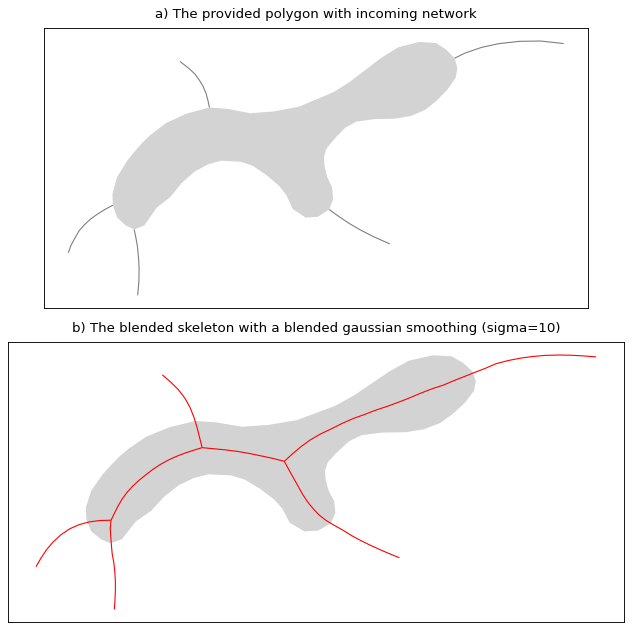
Create an artificial TIN skeleton and blend it inside a network.
This function first creates an artificial TIN skeleton by enforcing entry points derived from the provided network (the entry points are the extremities of the provided network touching the polygon ring). Then the network is blended with the skeleton and an optional gaussian smoothing is apply.
This version is inspired by the enhanced TIN skeleton proposed by Wang [1]
- Parameters:
polygon (
Polygon) – The polygon to compute the skeleton from.network (
GeoDataFrameofLineString) – The network touching the ring of the polygon.sigma (
float, optional) – Gaussian filter strength. By default, the skeleton is not smoothed.attributes (
listofdict, optional) – A list of dict where the index matches the provided network. This dict represents the attributes of the lines to be propagated to the new network. If None is provided, the resulting network will lack the original attributes.blend_smoothing (
bool, optional) – If set to True, the gaussian smoothing is applied to the skeleton after blending with the rest of the network, this can deform the network outside of the dual carriageways. If set to False, the gaussian smoothing is only applied to the skeleton before blending with the rest of the network.threshold_range (
tuple, optional) – This value is only used for inner triangles calculated by the Delaunay triangulation. If two of the length ratio between each pair of edges (of an inner triangle) is outside the given range, the skeleton uses the middle of the line connecting the two center of the longest lines of the triangle, else it uses the centroid of the triangle.
- Returns:
See also
skeletonize_naturalCreate the natural TIN skeleton.
skeletonize_artificialCreate a TIN skeleton by enforcing entry points.
References