cartagen.make_planar#
- make_planar(network)#
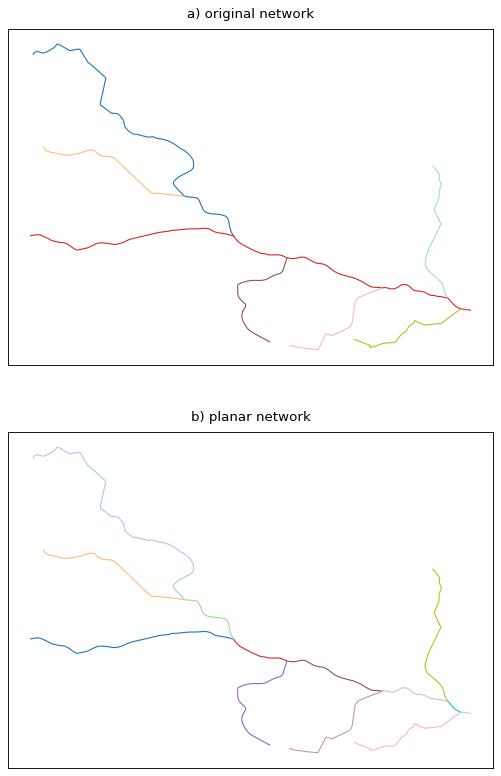
Make the network planar and keep the relationship between sections.
This function fully merges the input network and reconstruct a planar network, i.e, a network having its edges intersect only at their endpoints. As an example, a road network will lose its tunnels and bridges as topological features and merging lanes will split the main road it merges into.
This function is also suitable for river networks as it preserves the direction of the LineStrings.
- Parameters:
network (
GeoDataFrameofLineString) – The network to make planar.- Returns:
See also
dissolve_networkRemoves degree-2 nodes within a line network.
Notes
The resulting network will always have more network edges than provided as this function keeps the division of the original network even if it creates two-degree nodes. That way, the resulting edges will keep the attributes of the provided network.
Examples
>>> line1 = LineString([(0, 0), (0, 2)])
>>> line2 = LineString([(1, 1), (0, 1)])
>>> network = GeoDataFrame(geometry=[line1, line2])
>>> make_planar(network)
    geometry                planar_id
0   LINESTRING (0 0, 0 1)   0
1   LINESTRING (1 1, 0 1)   1
2   LINESTRING (0 1, 0 2)   2